Rosetta Stone Version 3
Personal Edition
Product Review
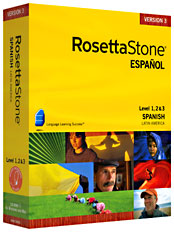 Rosetta Stone uses the same method to teach second languages as you used to learn your first. You probably don't remember that very well, but it worked, didn't it? Rosetta Stone uses the same method to teach second languages as you used to learn your first. You probably don't remember that very well, but it worked, didn't it?
The key to the Rosetta Stone method is immersion. The entire program, from start to finish, is in the target language. This means that there is no translation or dictionary to fall back on. There aren't grammar explanations. You have to sink or swim using ONLY the new language. It may sound tough, but that's why Rosetta Stone gets results.
The Rosetta Stone method is also fun and engaging. Rather than using drills, "listen and repeat," translations or rote memorization, Rosetta Stone teaches you to think in the new language, and this is why it is used by the United States State Department and thousands of companies and language schools.
By immersing you in the new language, Rosetta Stone's software is as close as you'll get to being dropped right in the middle of a foreign country with no interpreter, without having to leave your computer.
The system works like this: First, you see an image. You hear a word, and you have to pick the right image. You learn through trial and error, just like you did when you were 2 years old and learning your first language. Your mind begins to associate the sound with the image; you bypass translation and learn intuitively. Pretty soon, you are communicating.
Rosetta Stone’s Interactive Features
What sets Rosetta Stone apart from the others is the system's interactivity. All the different languages have interactive features that allow you to customize your course of study.
» Writing
For example, let's say you are studying a language like Chinese or Arabic that doesn't use the alphabet. You can choose to either view the target language's characters, or see the Romanized equivalents. If your focus is to learn to speak the language, and writing is not a big concern, you can skip learning all of those difficult characters.
On the other hand, if you are serious about learning the writing system of another language, there are interactive features that can allow you to work on that. The software has writing lessons where you practice writing and the computer highlights your mistakes. Again, you can learn through trial and error. The mistake is pointed out to you immediately so that it's clear to understand.
» Pronunciation
If you want to work on your pronunciation, there are special features that allow you to do that. With Rosetta Stone's software, it will record your voice and play it back to you, along with the voice of a native speaker saying the same thing. This gives you a chance to listen carefully to the way your pronunciation is different. Hearing the difference is the first step in perfecting your pronunciation.
» Delay Mode
You can decide the length of time allowed between when you hear the utterance and see the images. You can set it for a long delay so that you can try to think of the image before it presents them. If you're a naturally good guesser, this makes you really think of the answer before selecting an image.
» Images
There are all kinds of interactive features that allow you to switch up your mode of study. For example, instead of simply hearing the word choosing the image, you can choose the image from the written word, or vice versa.
And naturally, Rosetta Stone's software will keep track of your progress so you can see how you've improved. No one has to pass any tests or anything, but seeing that you're getting better can help build confidence in your speaking.
What’s New With Version 3
Version 3 of the CD-based software is now available. All 30 languages are not yet available, but they are coming out soon. Rosetta Stone is constantly adding more languages to its older versions, and you can expect to see them eventually in Version 3 as well.
The main difference with Version 3 is that the writing and video passages are longer and more involved. With Version 3, you can buy any level individually, or the whole set.
Version 3 adds new features, as well as beefing up some of the old ones. The new features include...
» New speech analysis features to help with your pronunciation.
» Real-life conversation practice with the Contextual Formation and Milestone features. These get you speaking and practicing what you've learned by using your new language skills in a daily life situation.
» A feature called "Adaptive Recall" that keeps track of your progress. Not only does it keep track, but it can help you decide what areas need to be worked on, like your own personal language tutor.
Everything on Version 3 is improved, including new images, new people images, and new native speaker voices.
Tech Help
Rosetta Stone's installation couldn't be easier. You simply put in the disc and follow the prompts. Don't worry - they're in English! The software runs on both Mac's and PC's.
The interface is designed in an intuitive and user-friendly way, but if you have trouble there is a toll-free customer support number you can call. It is also easy to leave a lesson in the middle if you get lost. There are also lots of tutorials that you can check out if you get confused. These tutorials will also show you how to customize your program by doing things like changing the tone it makes when you make a mistake.
Rosetta Stone offers a full money-money back guarantee if you're not happy with the software. You can return it for a full refund within the first six months. The free tech support lasts for the lifetime of the software.
If you're thinking about giving Rosetta Stone a try, there is a free demo online. Check it out and start today!
|